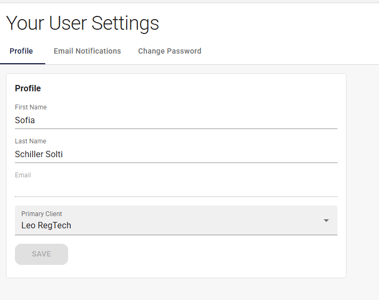
Your primary client is the environment that opens by default when you log in. To change it:
- Click your username in the top-right corner.
- Select Settings.
- On the Profile tab, choose a client from the Primary Client dropdown.
- Click Save.

Your primary client is the environment that opens by default when you log in. To change it: